
Choosing the right zero trust network access (ZTNA) solution looks different for every organization. You must weigh multiple factors including internal resources, budget constraints, and the ability to scale. In this guide, we’ll break down what to look for in a ZTNA vendor and highlight 10 top solutions to help you make an informed decision.
What option to choose?
What to Look For in a ZTNA Solution
Zero Trust security assumes no user or device should be trusted by default. A strong ZTNA platform enforces this with key features like multifactor authentication (MFA), identity management, and endpoint protection. When comparing vendors, prioritize the following:
- Identity‑centric policy enforcement and micro‑segmentation: Look for providers that tightly integrate identity and access management (IAM), single sign-on (SSO), and multifactor authentication (MFA), as these controls are essential for verifying user identity and limiting access.
- Secure communications across networks: Ensure vendors offer features like remote browser isolation, secure web gateways, and firewall-as-a-service (FWaaS) to protect data across cloud, SaaS, and on-prem environments.
- Real-time monitoring and adaptive access policies: Choose tools that integrate with SIEM, XDR, or threat intelligence platforms. These enable dynamic policy enforcement and early detection of anomalies or threats.
- Integration and ease of deployment: ZTNA should work with your existing identity providers (e.g., Azure AD, Okta), endpoint tools, and PKI infrastructure. Support for phased rollout is valuable when replacing VPNs or securing hybrid environments.
- Compliance and governance: Detailed access logging, policy enforcement history, and reporting capabilities are essential for meeting compliance requirements like HIPAA, GDPR, FedRAMP, and SOC 2.
- Total cost of ownership: Evaluate not just licensing but also whether the platform includes core capabilities or depends on third-party tools. Usage-based pricing or free tiers may lower entry cost, but they can ensure scalability and feature coverage as your needs grow.
The Best ZTNA Vendors
Choosing a ZTNA vendor isn’t a one-size-fits all approach. Some of these vendors are great entry-level solutions, while others cater to enterprise-level businesses. We’ve outlined the strengths and limitations of each vendor to help you choose the best option.
| Vendor | Best for | Strengths | Limitations |
|---|---|---|---|
| NordLayer | Small and mid‑sized businesses that need a quick, user‑friendly ZTNA | Easy deployment and management with granular IAM controls; application‑level segmentation; supports device posture checks and adaptive access policies | Advanced features require higher-tier plans; limited threat‑detection and analytics compared to enterprise tools |
| GoodAccess | Small businesses seeking rapid, low-IT deployment | Static IP gateway; encrypted tunnels; MFA; device posture checks; DNS filtering and session logging | Limited analytics and threat intelligence; small global footprint |
| Twingate | Small to mid-sized orgs wanting fast deployment without network changes | Simplified deployment; strong identity-based access; rich access logs; quick rollout | No clientless option; limited enterprise‑grade features and global coverage |
| Cloudflare Access | Organizations needing a low-latency ZTNA that can scale | Clientless option; free tier available; scales to SASE | Limited support for on-prem/legacy apps without additional config; some advanced features require bundling |
| Cisco Universal ZTNA | Enterprises already using Cisco tools that are looking for full-stack integration | Deep integration across the Cisco stack; clientless option; AI-based risk scoring | Complex to deploy and manage, making it best suited for Cisco-centric environments |
| Netskope One Private Access | Enterprises securing both modern and legacy apps with unified ZTNA & SD-WAN | Support for web and non-web apps; clientless option; scales to SASE | Requires adoption of more Netskope modules for full functionality; less ideal for simple, standalone deployments |
| Zscaler Private Access | Enterprises needing mature ZTNA with AI-powered segmentation | App segmentation via AI; supports modern and legacy apps; inline traffic inspection | Complex to configure; high price; some rules and policy limitations in complex environments |
| Palo Alto Prisma Access | Enterprises seeking a full-featured SSE/SASE stack with ZTNA | Integrated ZTNA, SWG, CASB, and FWaaS; AI-driven behavior analysis; supports managed and unmanaged devices | Complex and costly; designed for organizations with 200+ users; most effective when paired with other Palo Alto solutions |
| Fortinet Universal ZTNA | Existing Fortinet customers wanting seamless ZTNA | Native integration with Fortinet Security Fabric; strong posture and security checks | Limited compatibility with third-party tools; client-initiated model may not suit all environments |
| Cato Universal ZTNA | Organizations that want a cloud‑native ZTNA integrated into a single‑vendor SASE platform | Full SASE-native ZTNA; clientless option; unified security stack | Less ideal for heavy on-prem or hybrid setups |
NordLayer
Best for: SMBs or distributed teams seeking a user-friendly, cost-effective ZTNA solution that can be deployed quickly without heavy IT overhead
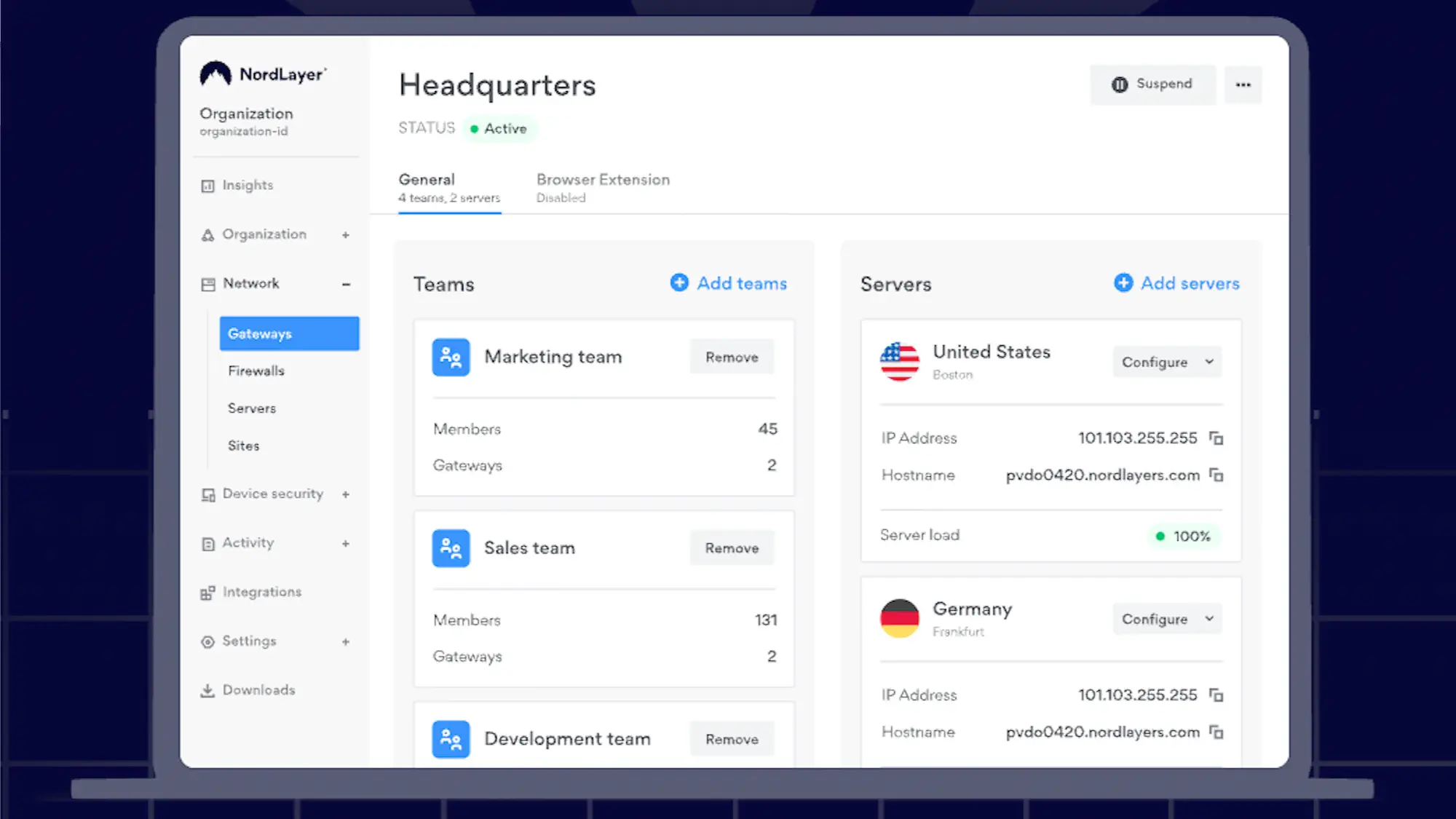
NordLayer is an easy-to-deploy secure access solution built with the Zero Trust architecture in mind. This solution is ideal for organizations transitioning away from traditional VPNs and looking for improved access control, identity verification, and segmentation without overhauling their existing infrastructure or implementing a full SASE deployment.
NordLayer enables granular access control with support for identity and access management (IAM) features like two-factor authentication (2FA), single sign-on (SSO), biometric login, and automated user provisioning. As part of its ZTNA capabilities, it provides application-level segmentation, device posture assessment, and secure remote access, ensuring that you connect only to the specific resources that you’re authorized to access. The platform also continuously monitors session activity and allows administrators to set adaptive access rules based on user role, device trust, and location.
The Core plan starts at $11/user/month, while advanced features like Firewall as a Service (FWaaS), threat block, and device security checks require additional fees or higher-tier plans. With its lightweight deployment, centralized dashboard, and strong UX, NordLayer is well-suited to teams with a lean IT department.
Pros
- Easy to deploy and manage
- Strong identity and access controls out of the box
- Scalable for both small and large businesses
Cons
- Limited threat detection and analytics compared to enterprise-grade ZTNA providers
- Requires added costs or premium plans for some key features (FWaaS, device trust)
GoodAccess
Best for: Small and mid-sized businesses looking for a simple, affordable cloud‑based ZTNA solution
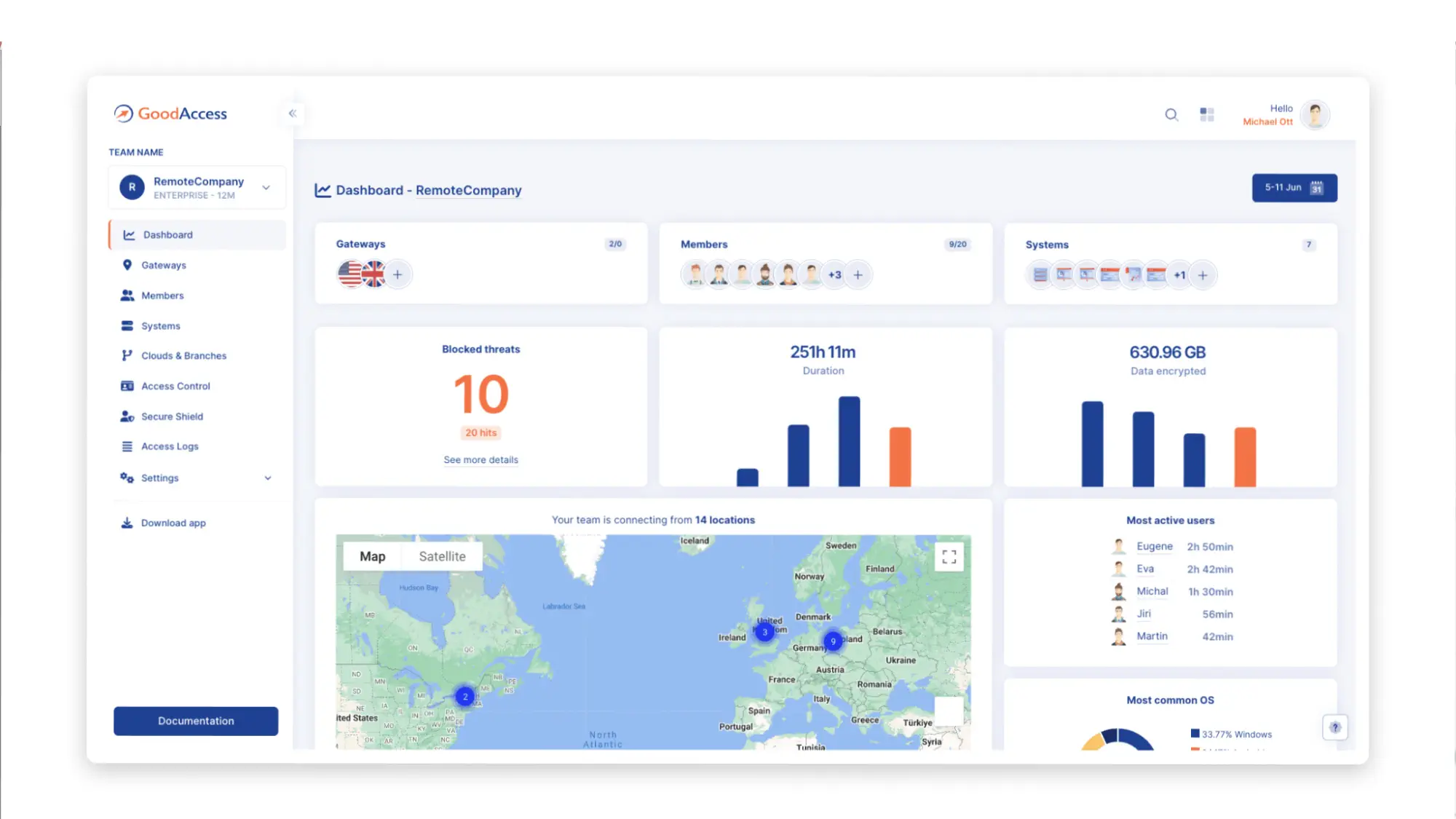
GoodAccess is a fully cloud-delivered ZTNA platform built for rapid deployment without specialized IT expertise. It blends traditional VPN capabilities like static IP gateways and encrypted tunnels with identity-based access, SSO, MFA, and device posture evaluations to offer a Zero Trust experience accessible to SMBs. When it comes to payment plans, you can use the Premium Tier, which incorporates SSE, SDP, and ZTNA, starts at $11/user/month.
GoodAccess combines application-aware access rules with identity integrations through Azure AD, Okta, Google Workspace via SSO, SCIM provisioning, and device posture checks. This solution also includes threat blocking via DNS filtering, session logging, IP whitelisting, and split tunneling. GoodAccess also has an intuitive interface and is easy to deploy, making it a great entry-level solution.
One downside of GoodAccess is that it lacks advanced enterprise-grade threat intelligence, deeper analytics, and large-scale hybrid deployment flexibility found in enterprise products.
Pros
- Fast, no‑expert deployment
- Static gateway IPs that can be used for IP whitelisting
- Built-in threat-blocking via DNS filter and centralized cloud dashboard
Cons
- Limited customization and advanced features compared to enterprise platforms
- Only about 35 cloud gateways worldwide
Twingate
Best for: Small to mid-sized businesses seeking a lightweight ZTNA solution with rapid deployment
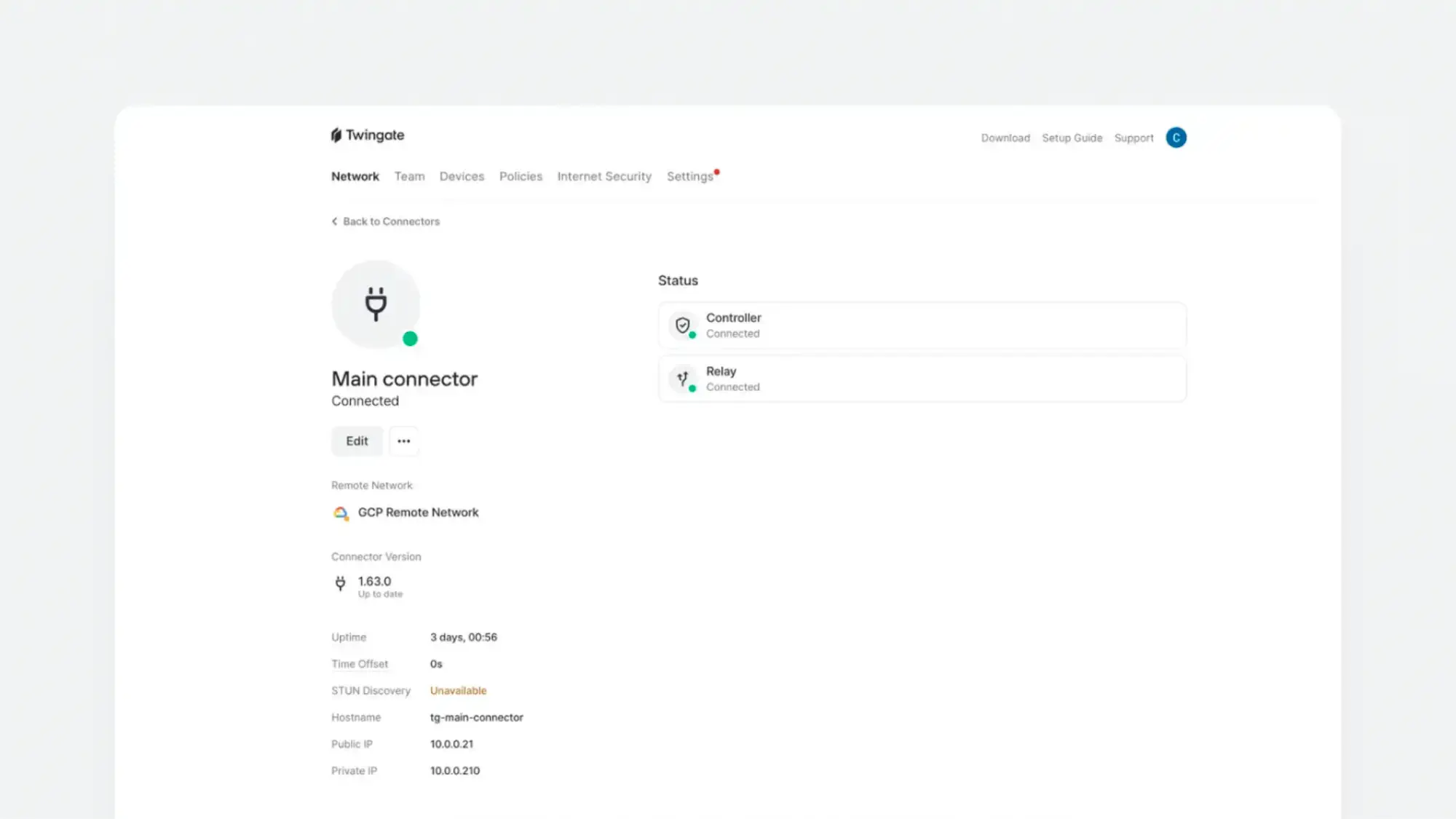
Twingate is a good solution for cloud-oriented organizations that want a scalable, affordable, and low-maintenance alternative to traditional VPNs. This solution enables direct point-to-point encrypted connectivity between users and protected resources using connectors and relays, providing identity- and context-based access to corporate resources.
Designed for fast onboarding and minimal IT dependency, you can expect quick deployment without any network changes. Twingate also provides DNS filtering, content filtering, and network intelligence for enhanced security. When it comes to payment plans, Basic Teams plans start at $5/user/month, and Business plans with DNS filtering and data loss prevention controls start at $10/user/month.
While Twingate is affordable and easy to deploy, it might not always be compatible with other areas of your tech stack. For example, if you have VPNs, DNS filtering, or certain types of security software in your tech stack, it may conflict with Twingate and cause issues. Additionally, Twingate doesn’t have a clientless option and isn’t well-supported in regions like China, Cuba, Ukraine, Iran, North Korea, and Syria.
Pros
- Quick and easy deployment
- Affordable price
- Always on technology, minimizing required user interaction
Cons
- Lacks enterprise-level features
- Limited global footprint
- Limited features and integrations on the Teams plan
Cloudflare Access
Best for: Organizations seeking a high-performance, scalable ZTNA platform that integrates seamlessly with identity providers
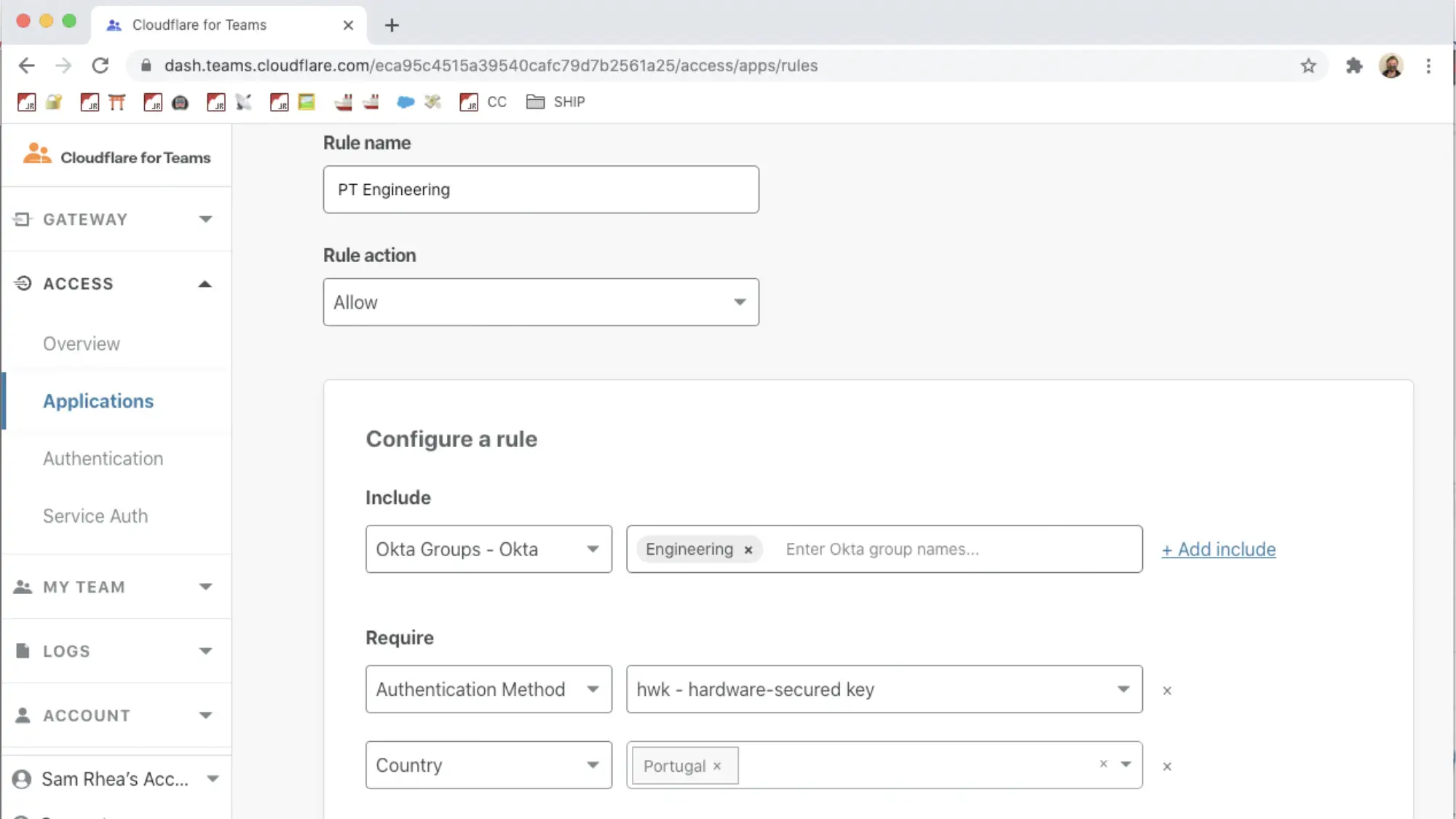
Cloudflare Access is a cloud-native ZTNA solution that replaces legacy VPNs with identity-aware, application-specific access policies. This solution runs on Cloudflare’s global network, which includes over 300 cities, reducing latency.
Cloudflare Access integrates with major identity providers like Okta, Azure AD, and Google Workspace, and enables per-user, per-app access policies without requiring a VPN client. If you need device posture checks, session logging, and integration with Cloudflare Gateway, you can expect this with broader threat protection and Secure Web Gateway (SWG) functionality. Cloudflare Access also has a free tier of up to 50 users, allowing you to test some of its functionalities and decide if it’s the right fit for your business. Plus, over time, you can scale to other Cloudflare products.
However, while ideal for protecting web-based and SaaS applications, its support for complex on-prem or hybrid scenarios requires extra configuration or separate Gateway policies. Cloudflare has improved this with recent enhancements, but there’s still an opportunity to broaden capabilities.
Pros
- Easily integrates with popular identity providers
- Low latency due to Cloudflare’s edge network
- Can scale up to a SASE product via Cloudflare One
Cons
- May require additional Cloudflare products or upgrades for some advanced features
- May require a workaround for on-premise or legacy app support
Cisco Universal ZTNA
Best for: Enterprises, especially those invested in Cisco’s broader ecosystem, that want a scalable ZTNA solution with clientless and client-based access options and integrated threat visibility
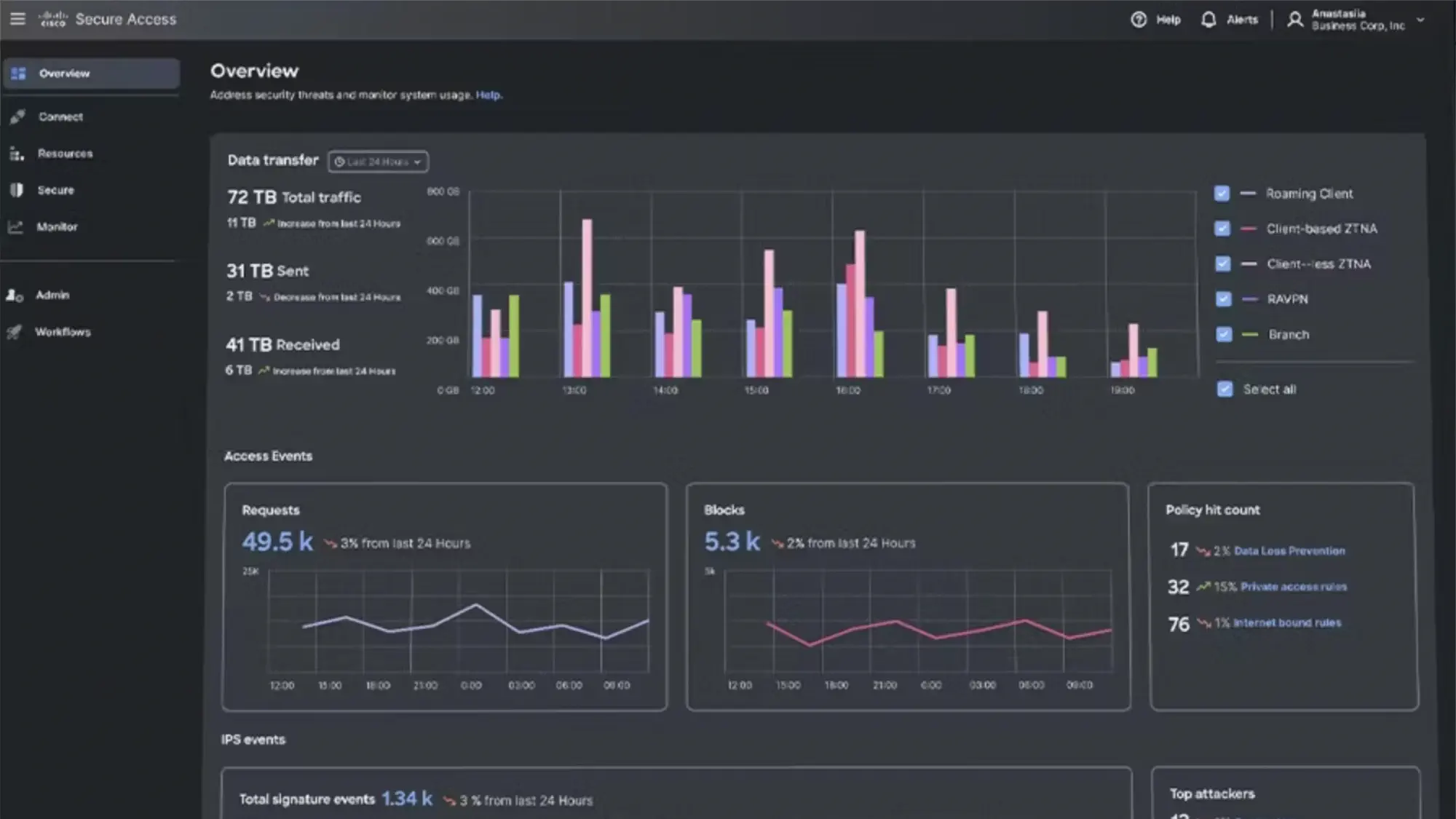
Cisco Universal ZTNA combines multiple Cisco technologies like Duo, Secure Access, Identity Intelligence to deliver a unified Zero Trust solution. It supports adaptive, continuous access policies based on user identity, device posture, location, behavior, and real-time risk signals.
Duo handles strong multi-factor authentication and user trust, while Secure Access provides clientless or agent-based secure connectivity to both SaaS and private apps. Cisco Identity Intelligence adds AI-powered risk-based decision-making, incorporating behavioral analytics to detect anomalies and enforce step-up authentication when needed. The platform also integrates with Cisco XDR and Secure Firewall for advanced threat correlation and policy enforcement, offering full-stack visibility and control.
While Cisco’s broad ecosystem is a strength, it can also be a drawback, as you may need to commit to multiple Cisco products. Additionally, smaller IT teams or companies with mixed-vendor environments may find deployment and management more complex compared to standalone ZTNA products.
Pros
- Support for managed and unmanaged devices
- Real-time risk-based access decisions with AI-powered identity intelligence
- Both clientless and agent-based access for flexibility
Cons
- More complex to configure and manage than standalone ZTNA solutions
- Best suited for Cisco-centric organizations
Netskope One Private Access
Best for: Enterprises seeking a full-featured ZTNA with clientless and client-based access and support for legacy applications
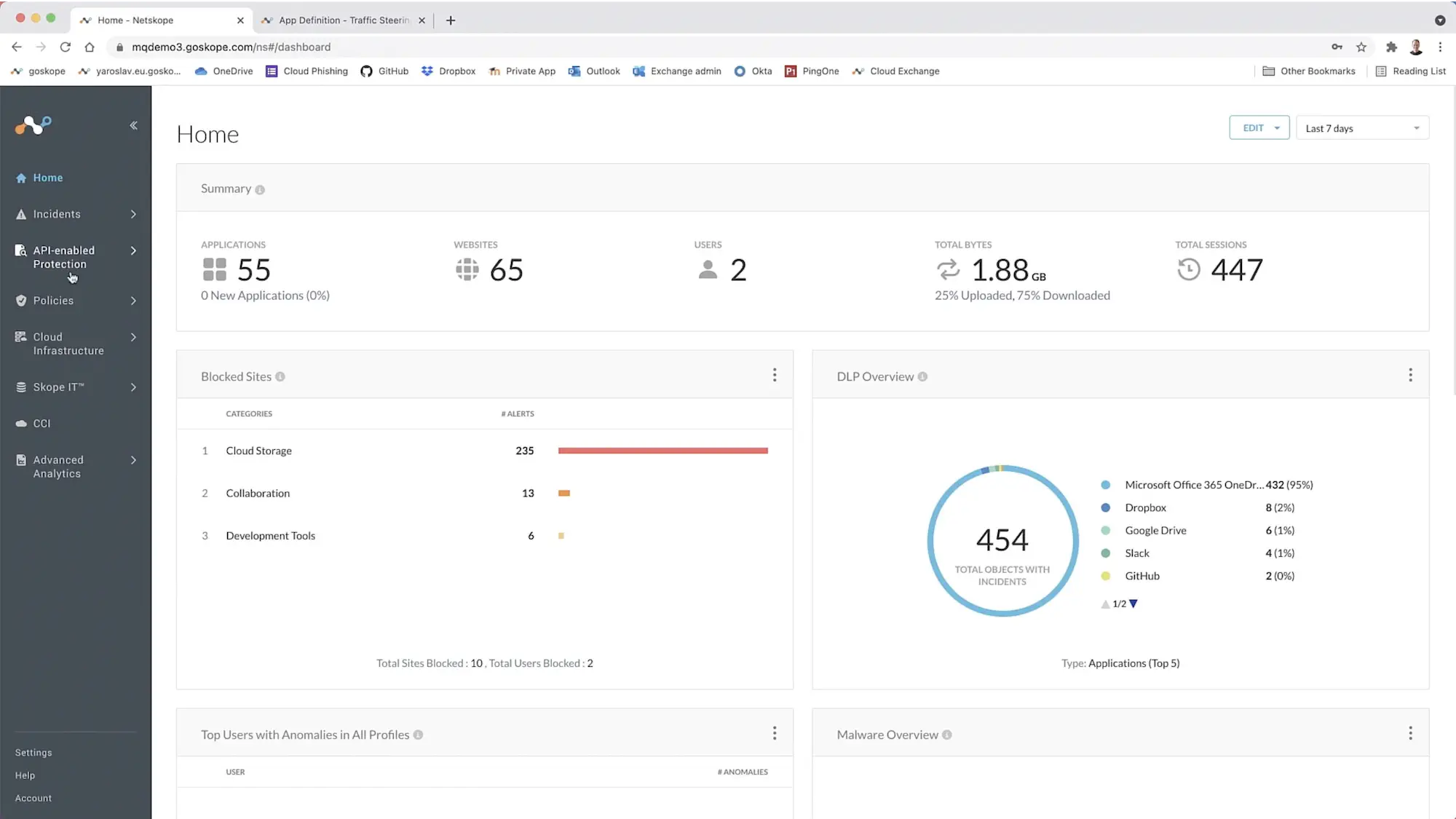
Netskope One Private Access unifies ZTNA and SD-WAN capabilities, replacing legacy VPNs for both modern and legacy applications. By using the Netskope NewEdge global network to optimize performance and reduce latency, this solution secures web and non-web apps in both server- and client-initiated flows. This includes secure connectivity for private applications like on-premises VOIP and remote assistance.
Netskope One Private Access enforces context-aware, least-privilege access by verifying user identity, device posture, and risk signals before granting access, without exposing private apps to the public internet. This solution offers flexibility for BYOD, contractors, or unmanaged endpoints, supporting client-based and clientless access. Features like DLP, UEBA, and unified visibility are part of the broader Netskope One SASE ecosystem, meaning more advanced functionality may require adopting additional modules like SWG or CASB.
While Netskope One Private Access is full of features, it requires alignment with the Netskope One SASE stack. This makes this solution less suitable for companies that need simpler, standalone ZTNA tools.
Pros
- A true VPN replacement supporting both web and non-web apps
- Delivers low-latency, global performance with Netskope NewEdge
- Enables unified security architecture via Netskope One
Cons
- Operational complexity can be high
- Less suited for organizations seeking lightweight or point ZTNA tools
Zscaler Private Access
Best for: Enterprises needing a mature ZTNA solution with support for web and non‑web applications, AI-driven segmentation, and inline threat inspection
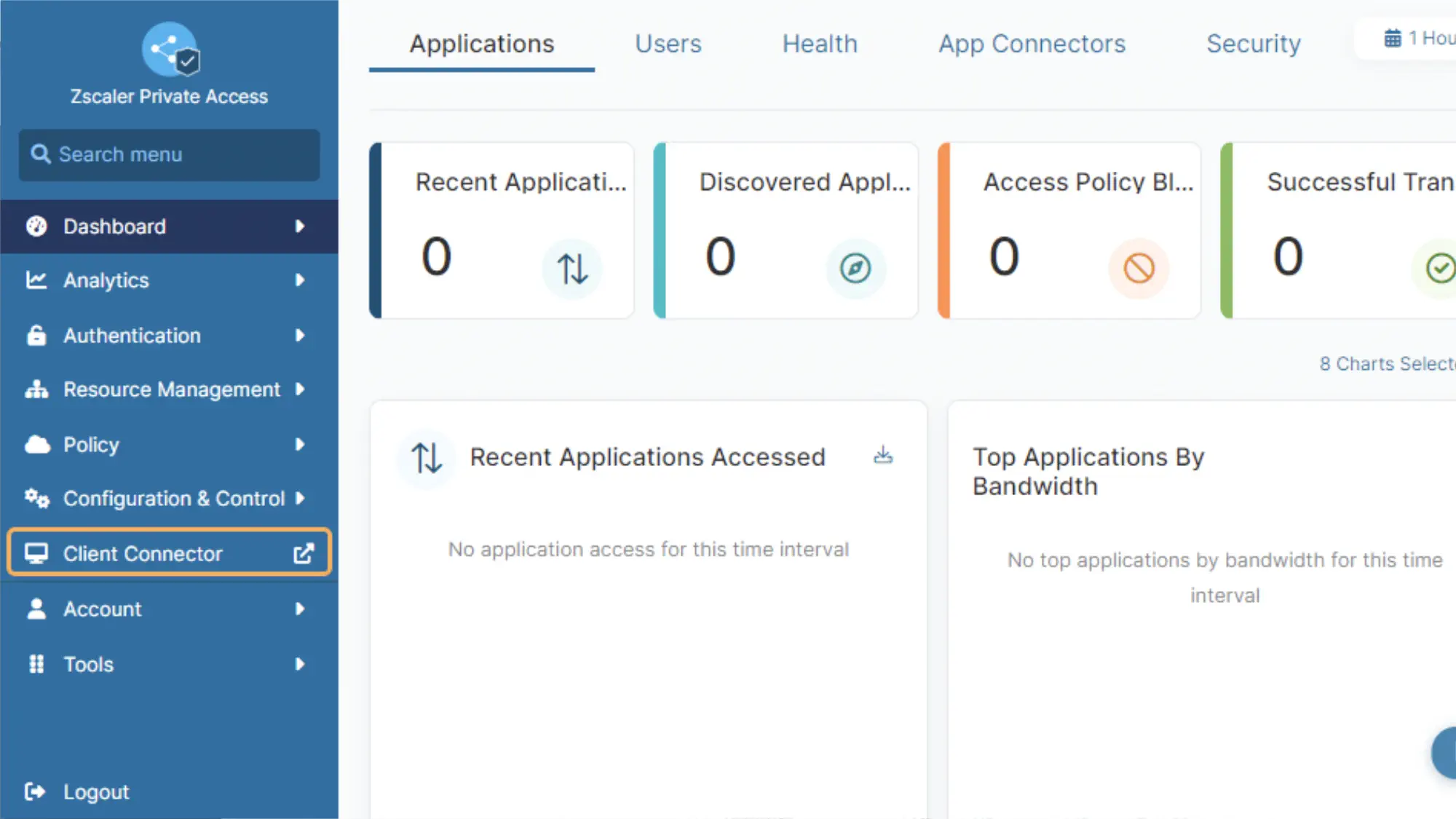
Zscaler Private Access (ZPA) is a ZTNA that uses AI-powered app segmentation to generate recommended segments and policies. With more than 160 global edge locations, ZPA delivers low-latency access in many areas and can scale to support distributed workforces.
This solution supports client-based connectors and brokered browser access. ZPA uses Zero Trust Exchange to provide inline traffic inspection, DLP, and threat deception capabilities. It also minimizes the attack surface by hiding private applications behind the Exchange. If you’d like to use Zscaler’s SASE platform, you can combine ZTNA, SWG, CASB, and firewall as a service into one unified security stack.
While ZPA offers industry-leading scalability and app access flexibility, it can be rather complex, especially with hybrid deployment models and when troubleshooting. Additionally, while pricing is customized based on your needs and not available in plans, it is reportedly higher than competitors.
Pros
- Supports modern and legacy applications
- Highly scalable and mature platform
- Full inline traffic inspection and advanced threat protection
Cons
- Complex configuration and policy management
- Restrictive rule limitations for complex enterprises
- High cost
Palo Alto Prisma Access
Best for: Enterprises seeking a full-featured ZTNA and SSE solution with threat prevention capabilities
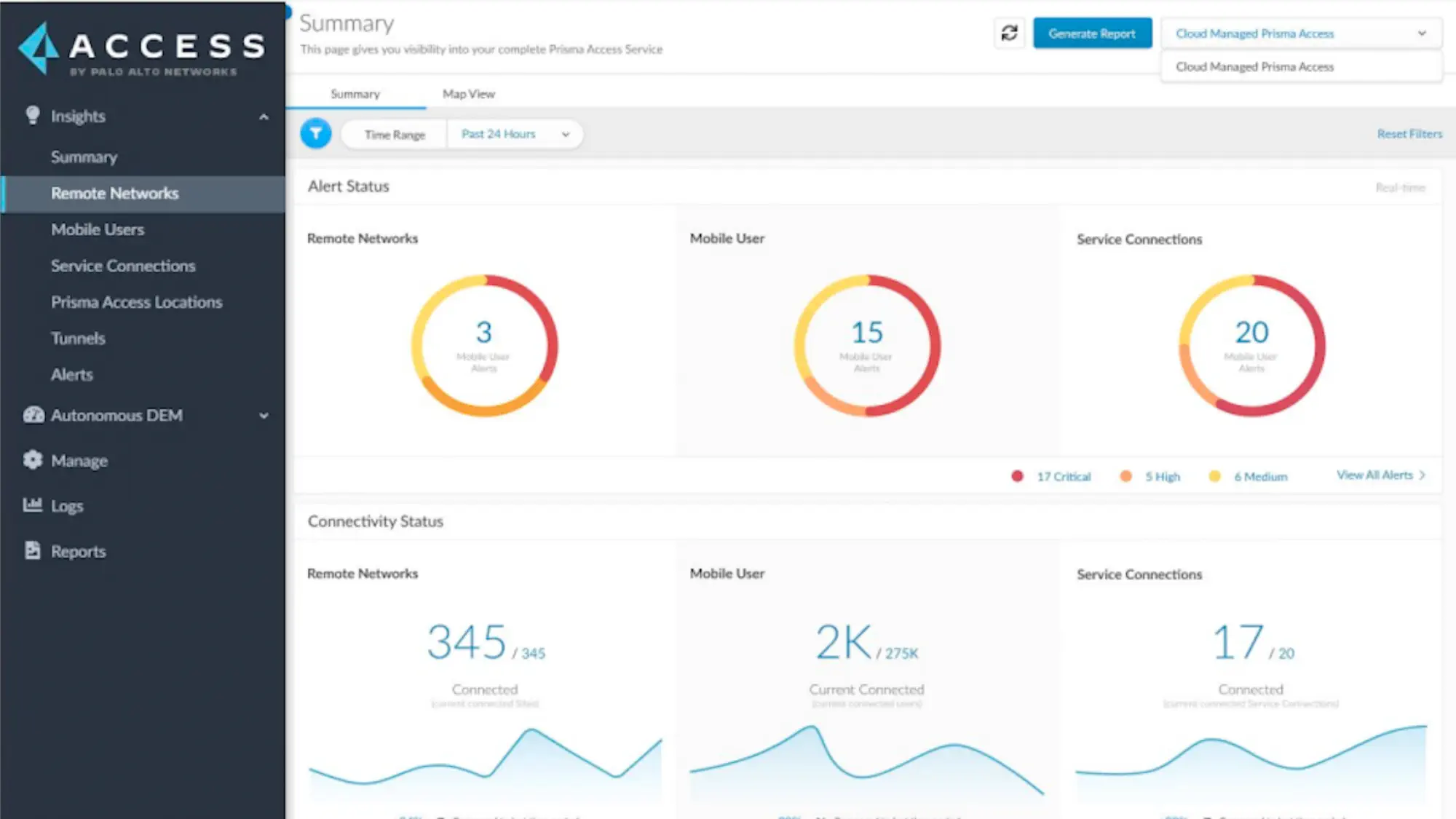
Prisma Access is an SSE platform that includes ZTNA, FWaas, SWG, and CASB. You can add Prisma SD-WAN for a full SASE solution. You can secure access to private applications, SaaS, and the Internet while enforcing consistent policy using user identity, device posture, app behavior, and risk signals.
Prisma Access supports both agent-based and browser-based access to applications, making it suitable for managed and unmanaged devices. It integrates with Palo Alto’s broader ecosystem, including Cortex XDR and Panorama, to provide advanced threat prevention and protection. The Autonomous Digital Experience Management is an add-on that ensures application performance and user experience are continuously monitored and optimized.
Prisma Access is most powerful when used with the broader Palo Alto ecosystem, which may drive up costs or add deployment complexity. Using the platform to its full capacity may require some advanced cybersecurity expertise. You should keep in mind that user minimums tend to be higher than competitors, with licenses often starting at 200 users.
Pros
- Agent-based and agentless support for managed and unmanaged devices
- AI-powered behavior analysis
- Integrated ZTNA and SASE with advanced threat prevention
Cons
- Most effective when paired with other Palo Alto solutions
- May be complex to configure for small teams or hybrid environments
- May face high pricing, especially at scale or with add-on modules
Fortinet Universal ZTNA
Best for: Organizations already using Fortinet’s Security Fabric looking for seamless ZTNA integration
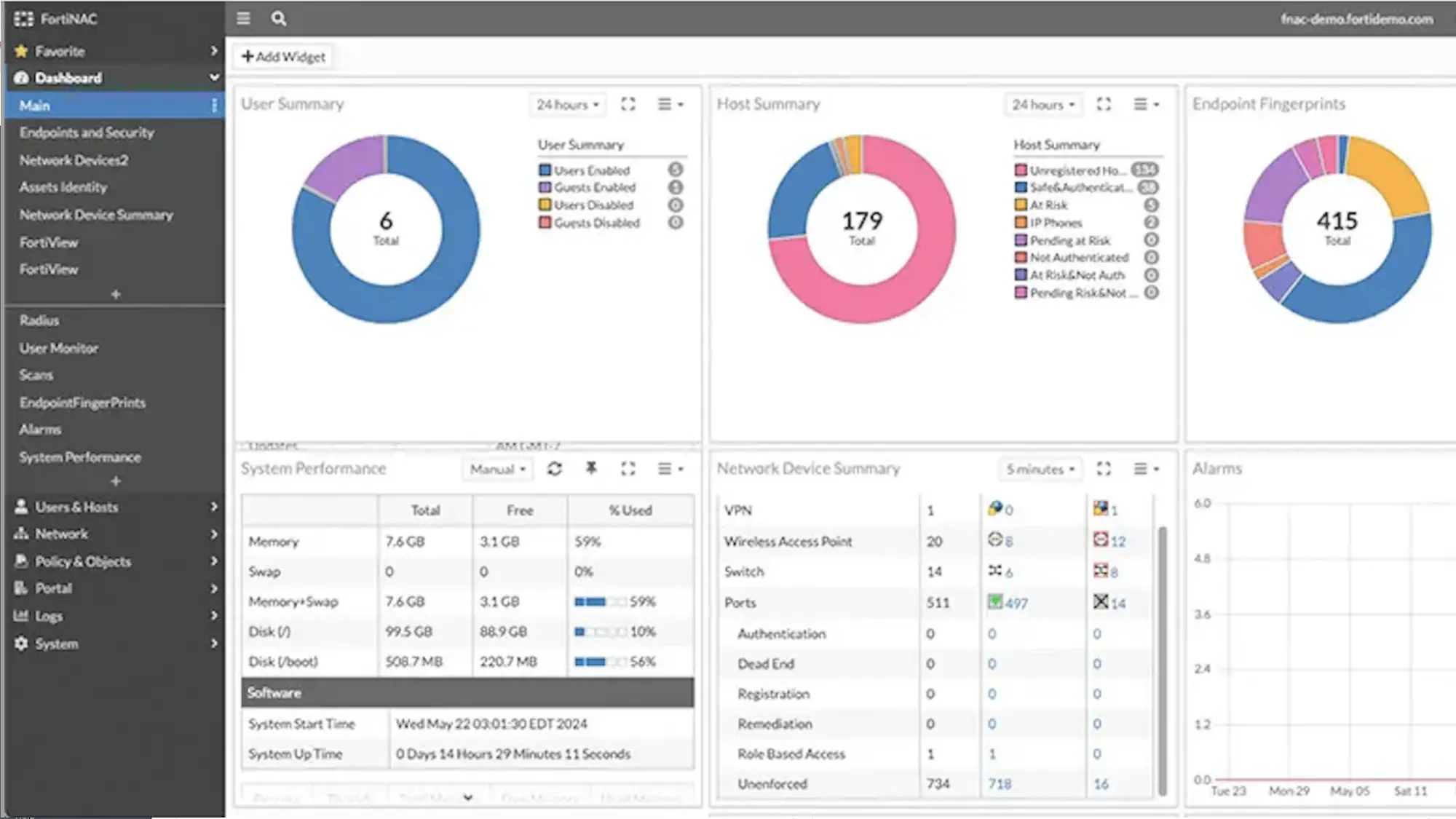
Fortinet’s Zero Trust Network Access solution is integrated directly into FortiClient and FortiOS, extending identity-based access control to remote users and devices without requiring a separate ZTNA product. Fortinet ZTNA is part of the larger Fortinet Security Fabric, which means that it will be easier for you to extend ZTNA functionality if you’re already an existing Fortinet customer.
Fortinet ZTNA uses a “client-initiated” model, where the FortiClient agent on the user’s device requests access via the FortiGate ZTNA gateway. This model allows unified security policies to be enforced across both internal and external users using Fortinet’s centralized management via FortiManager. It integrates with FortiAuthenticator and FortiToken for MFA and identity verification and supports continuous posture checks before granting access to applications. Fortinet also has a new agentless web-based application access option.
Fortinet’s ZTNA offering is most beneficial for you if you’re already invested in its ecosystem. Keep in mind that if you use third-party firewalls or tools, you may face integration limitations.
Pros
- Native integration with FortiGate Security Fabric
- Continuous posture and identity checks
- Ability to scale to a full SASE solution
Cons
- Best suited to existing Fortinet environments
- Limited operability with third-party infrastructure
- Limitations of client-initiated model in some use cases
Cato Universal ZTNA
Best for: Organizations looking for a cloud-native ZTNA solution integrated into a global SASE platform
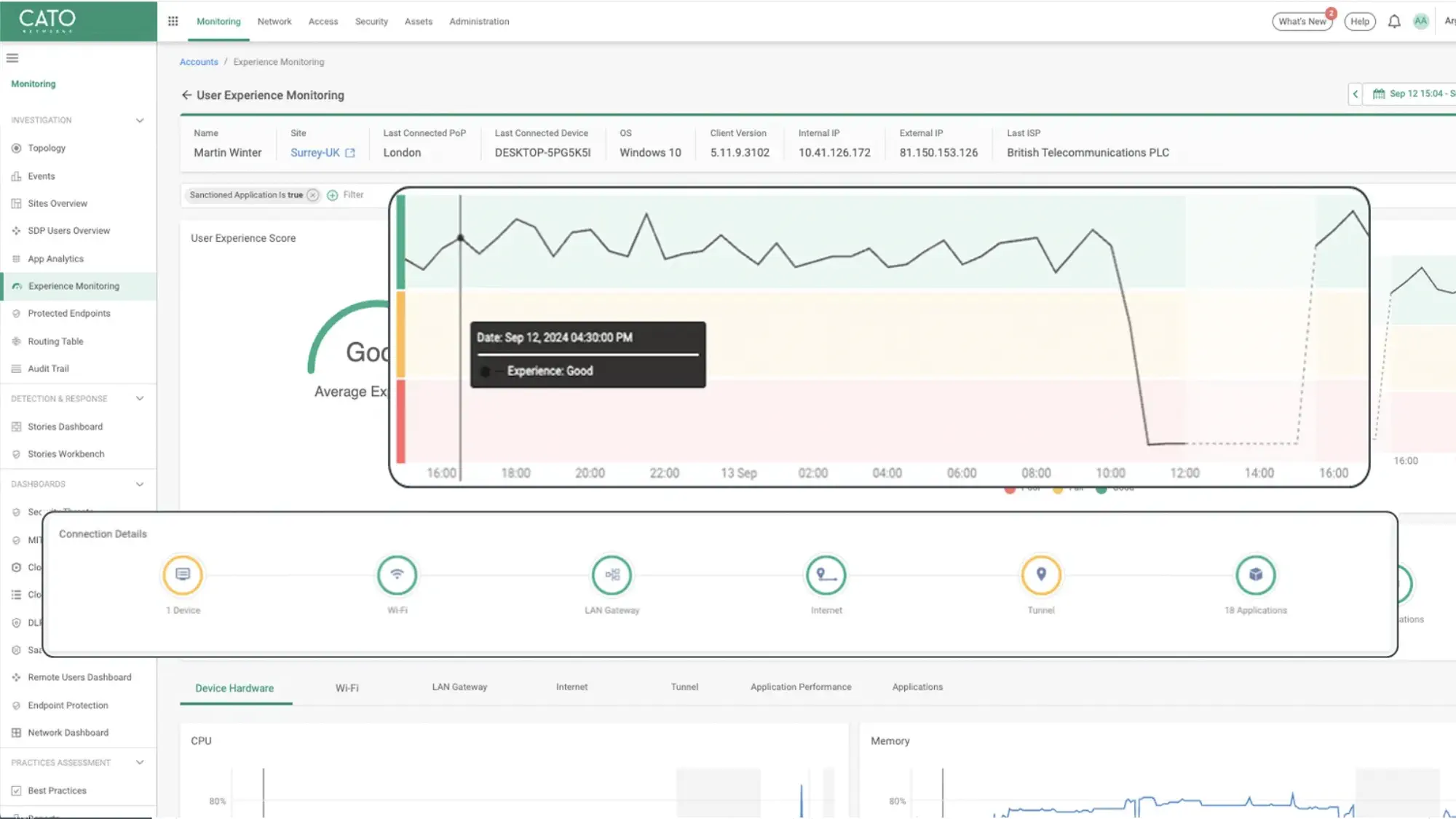
Cato SASE Cloud was built from the ground up, without relying on an existing firewall, SD-WAN, or VPN product. This means that all components are managed through one interface with an intuitive UI.
Cato’s ZTNA supports both agent-based and clientless access to private applications, making it suitable for both managed and BYOD scenarios. Access decisions are based on user identity, device posture, geolocation, time of access, and other contextual factors. Additionally, Cato’s security stack, including SWG, CASB, IPS, and DLP, is applied to ZTNA traffic for consistent policy enforcement across all users and traffic types.
Cato’s ZTNA solution is ideal for businesses looking to streamline network and security operations through a single vendor. However, because Cato was built as a standalone product, you may run into compatibility issues with existing services and solutions.
Pros
- Has self-managed or Cato-managed options
- Simple to deploy and manage with no hardware needed
- Supports agent-based and clientless ZTNA access
Cons
- Less suited to organizations with heavy on-prem infrastructure or hybrid data centers
- May not offer as much control as self-hosted ZTNA solutions for highly regulated environments
What option to choose?
How to Choose the Right Zero Trust Vendor
Once you’ve reviewed the top ZTNA platforms, the next step is mapping your organization’s needs to the right solution. Take each of the following into consideration as you choose is the right fit for your organization.
- Inventory what needs to be protected. Start by mapping out the applications, environments, and data you need to secure. Consider use cases like remote access, BYOD (bring your own device), or third-party vendors.
- Understand access requirements. Determine if users need access to cloud-based apps, on-prem servers, or legacy systems, and whether you require agentless solutions.
- Evaluate vendor ecosystem compatibility. ZTNA vendors often integrate with identity providers, endpoint management, SIEMs, and other security tools. You need to assess whether the vendor supports your existing stack.
- Determine the internal resources required. Policy updates, monitoring, and incident response are necessary to maintain security. You should evaluate vendors’ automation capabilities, security analytics, and support resources to ensure your team can manage the solution effectively.
- Assess the total cost of ownership. Factor in the cost of training, support, infrastructure upgrades, and any required add-ons or modules. Free or low‑cost plans may be appealing, but ensure they include the features and scalability you need.
- Consider future goals. Some ZTNA providers offer standalone tools; others can evolve into full SASE platforms. Think about your long-term roadmap, not just short-term goals, when choosing a vendor.
Zero Trust security is increasingly important as organizations adopt cloud services and support dispersed workforces. Vendors vary widely in feature depth, pricing, and ease of use. Choosing the right ZTNA vendor will look different for every organization, depending on your infrastructure, security posture, and strategic goals. By thoughtfully evaluating your needs and how each solution fits into your broader architecture, you can select a vendor that not only strengthens your security today but supports your long-term roadmap.